Easily create & update GUI controls in AutoHotKey

Easily create & update GUI controlsAutoHotkey Merchandise-White Stress ball

This video discusses how to use some of the build in functionality to Easily create & update GUI controls in AutoHotKey. Specifically I discuss the use of Margins, Sections and Previous controls. After watching this video you’ll see GUIs are not nearly as hard in AutoHotKey as you had thought.

Script used in video:

 
Gui, +AlwaysOnTop +resize
Gui, color,aqua ;keep on top & allow resize
 
Gui, Add, Text,        , my text1
Gui, Add, Text,        , my text2
Gui, Add, Text,        , my text3
Gui, Add, Text,section , my text4
Gui, Add, Text,ys      , my text5
Gui, Add, Text,        , my text6
Gui, Add, Text,        , my text7
Gui, Add, Text,        , my text8
 
Gui, Show, w600 h400
;******************************
Browser_Forward::
RAlt::Reload
#SingleInstance, Force

Two women smiling and looking at a computer screen together in a bright office, one pointing at the monitor.

https://www.youtube.com/watch?v=xTHFpfnXdbs

Using Hotstrings to help utilized custom SPSS scripts
SPSS ScriptsUsing Hotstrings from AutoHotKey help write your code is a great, easy, way to greatly improve your speed!  This example demonstrates me using hotstrings for writing most of which are actually custom SPSS scripts) which typically affect the look of output.  The newer versions of AutoHotKey now utilized Python for their scripting.  Most of mine were written in SAX Basic.  I’d post the code but it is unlikely they will work for you.

Scripts are easy to use and adaptable to make output much more meaningful and in a format ready to be used. AutoHotKey helps write syntax to utilize the scripts.

SPSS Scripts

https://www.youtube.com/watch?v=PF_s10kuppQ


Sample Scripts Library | Raynald’s SPSS Tools

Visual Basic-like language, embedded into SPSS for Windows. Use scripts samples to solve tasks related to interface and output manipulation.

Free SPSS Scripts

Use this script to rename some or all of the variables in your spss dataset. This script uses search and replace for effective renaming. Rename all your variables  …

Save a ton of time by creating a syntax writer that writes your code for you!

AutoHotKey syntax writer

Syntax Writer

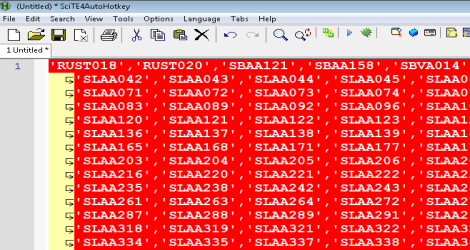
While fun, writing code can be very tedious in that it needs to be in a specific format. I use hotstrings to replace words I frequently use but what I also realized is I often have to put parameters into specific format like a quote encapsulated/comma delimited list.

This video shows how I wrote some very simple code that makes it much easier for me to be more productive in my SQL code writing.  I have other syntax writers for other languages but the concept stays the same.